
RhinoGuard flagship

My Device
Settings → General → About → tap the part number beside Model Number to reveal the A-number.
Start typing, choose a listed route, or complete all three browse fields. Nothing is assumed.
RhinoGuard flagship

ArmorPro route
RhinoGuard flagship
RhinoGuard route

Privacy glass

TitaniumGuard Ascend
TitaniumGuard Ascend
TitaniumGuard Ascend

Galaxy Watch Ultra metal

47mm protective case

Galaxy Watch 4–6 band collection

TitanForge 22mm
TitanForge 26mm

DuraShield protection

ArmorShield Slide

TitanShield Pro
RhinoGuard flagship
RhinoGuard flagship

RhinoGuard Tactical 360 Pro

RhinoGuard Apex Shield

RhinoGuard Apex Rotation

RhinoGuard Regent

RhinoGuard Vanguard

RhinoGuard Vertex

ChargeStation 7
Live catalog match
Comparisons
Compare the three new WorkForce Fold bundles, from rotating grips and shoulder straps to exact iPad fit, keyboard finishes and the included stylus three-pack.
 Verified product context
The WorkForce Fold Collection
Find your fit across RhinoGuard Pro, ArmorPro and Apex Command—with a folding keyboard and three stylus pens in every bundle.
A useful iPad setup has to follow the shape of your day: reading while standing, typing at a table, then packing away for the next stop. Avontic’s new WorkForce Fold bundles bring those moments together with a RhinoGuard case, a separate folding Bluetooth keyboard and three capacitive stylus pens.
The choice is between RhinoGuard Pro, RhinoGuard ArmorPro and RhinoGuard Apex Command. Each bundle is listed at $199.99 USD as of September 9, 2026. With the same keyboard and pen pack across the family, the most useful questions are about your exact iPad, your preferred case design and whether you want an included shoulder strap.
Every configuration pairs one selected case with one B033 English-layout Bluetooth keyboard in Black or Silver. The keyboard folds for packing and sits independently when opened, allowing you to position it separately from the iPad. It does not attach to the case.
You also receive a three-pack of passive capacitive stylus pens: one black, one silver and one red. These are useful for touchscreen navigation without charging or pairing. They are not Apple Pencil devices and do not provide palm rejection, pressure sensitivity or active-pencil features.
Know before you choose: the keyboard has a built-in touchpad, but functions depend on the keyboard revision, iPadOS version and app. Not all iPad touchpad features are guaranteed; system pointer support requires iPadOS 13.4 or later. The iPad, Apple Pencil, separate mouse and power adapter are not included.
All three offer a rotating hand strap or rear grip and a built-in kickstand. The table highlights the differences that matter when choosing a configuration.
| Detail | RhinoGuard Pro | ArmorPro | Apex Command |
|---|---|---|---|
| Case construction | Multi-layer design; reinforced corners and raised edges | Front frame, rigid inner structure and flexible outer layer | Structured edges, reinforced corners and textured grip zones |
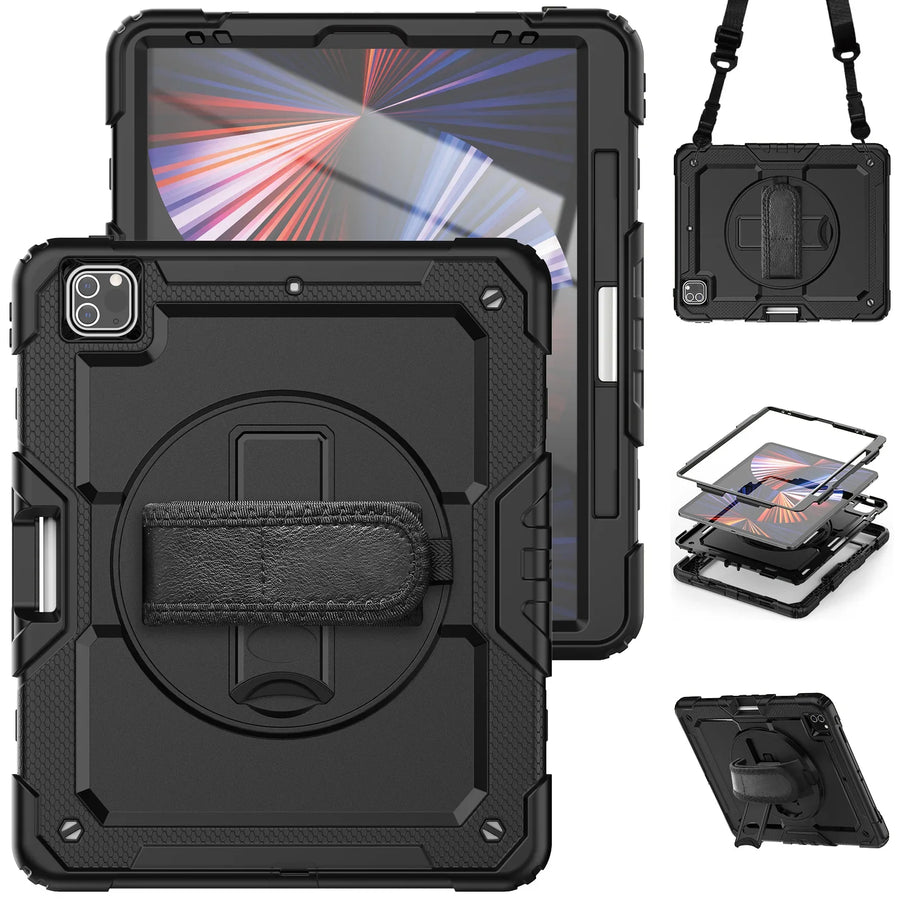
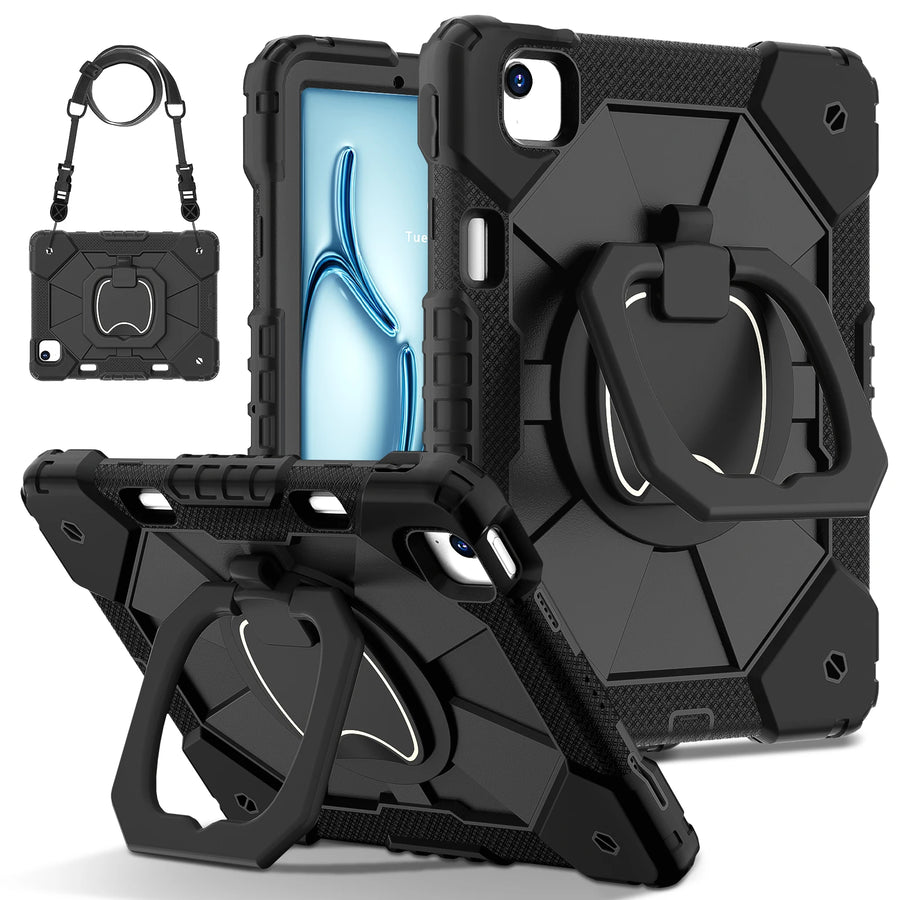
| Handheld support | 360° rotating hand strap | 360° rotating rear grip / hand strap | 360° rotating hand strap |
| Built-in kickstand | Included | Included | Included |
| Detachable shoulder strap | Included | Included | Not included |
| Listed case colors | 12 | 12 | 10 |
| Listed iPad model options | 19 | 14 | 12 |
| Keyboard finish | Black or Silver | Black or Silver | Black or Silver |
| Bundle price* | $199.99 USD | $199.99 USD | $199.99 USD |
*Prices and option counts reflect September 9, 2026. Check the product page for current selections. Individual case details vary by iPad model.
Start with Pro or ArmorPro if shoulder carrying is part of the plan. Both include a detachable shoulder strap, so this feature does not require choosing between those two families. Compare the case designs and confirm your model is listed, then select the one you prefer to handle and use.
Consider Apex Command for its textured grip design. It combines the rotating hand strap with a built-in kickstand, but this bundle does not include a shoulder strap. That distinction matters if you expect to carry the iPad between appointments or around a shared workspace.
For seated work, each case gives you a kickstand to use on a stable surface. The separate keyboard lets you adjust the distance between your hands and the screen, then put the keyboard away when you return to a touchscreen task.

Multi-layer case protection, a rotating hand strap and an included shoulder strap, with the widest listed model selection in this launch.
Explore RhinoGuard Pro
A structured case with a rotating rear grip, kickstand and included shoulder strap for moving between handheld and table use.
Explore RhinoGuard ArmorPro
Textured grip zones, a rotating hand strap and a kickstand. Choose this configuration knowing a shoulder strap is not included.
Explore RhinoGuard Apex CommandScreen size alone is not enough to choose an iPad case. Open Settings → General → About, find Model Number and tap it if necessary to reveal the number beginning with A. Match that A-number to the complete product option before choosing your case color and keyboard finish.
Have several iPads to equip? Record each device’s A-number first. Different generations can look similar while requiring different cases. Avontic Business Solutions can help coordinate supported models, colors and quantities.
Once you have chosen the case, give each accessory a clear place in your routine. Keep one stylus at your usual desk and another in your bag, and bring out the folding keyboard when a task calls for sustained typing.
Our companion WorkForce Fold setup guide walks through a practical first session, travel packing and team rollout. For a broader look at choosing accessories around your device, read the complete iPad protection setup guide.
Shop this setup
Live Avontic products connected to this guide. Confirm the exact device variant on the product page.
Confirm the exact device and selected variant before purchase. 60-Day Returns.
Continue with Avontic
Device details are verified against official manufacturer references and the live Avontic catalog. Reconfirm the selected product variant before purchasing.